Open source
OpenDeskThe mobile app your open-source stack never shipped.
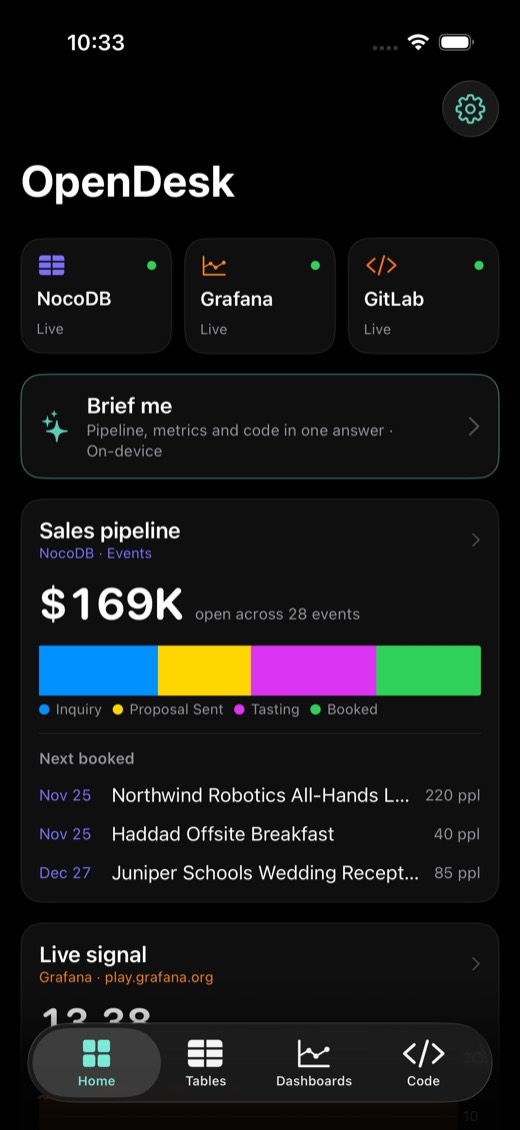
One native iPhone app for the self-hosted tools teams already run. Install it, point it at your data, and your whole team gets the same app. It talks straight to each tool's API: no fork of the tool, no server of ours, no migration. The AI runs on the phone.
The gap
Enterprise open source still lives in a desktop browser
These tools won on self-hosting, price and control. The people who depend on them aren't always at a desk, though: the caterer at a venue walkthrough, the on-call engineer at dinner, the lead approving a merge between meetings. The web UIs technically load on a phone. Nobody wants to use them there.
| Tool | Stands in for | Official mobile app | What people do on a phone today |
|---|---|---|---|
 NocoDB NocoDB | Airtable, a lightweight CRM | None | Pinch-zoom a spreadsheet grid |
| Supabase apps | Internal admin panels | Build your own | Open the dashboard's table editor, or ask an engineer |
| Grafana (OSS) | Datadog dashboards | None for dashboards | Squint at 24-column panel layouts |
| Metabase | Looker, Tableau | None | Desktop dashboards squeezed onto a phone |
| GitLab | GitHub | None | The desktop site in Safari |
| Excalidraw | Miro, FigJam | None | A browser tab that forgets your board |
Day one
Install it, and it works with the data you already have
The hard problem isn't the charts. It's the first five minutes: getting a team's real data onto everyone's phone without an IT project. OpenDesk handles that inside the app.
What's built
Six tools, one app, all on live data
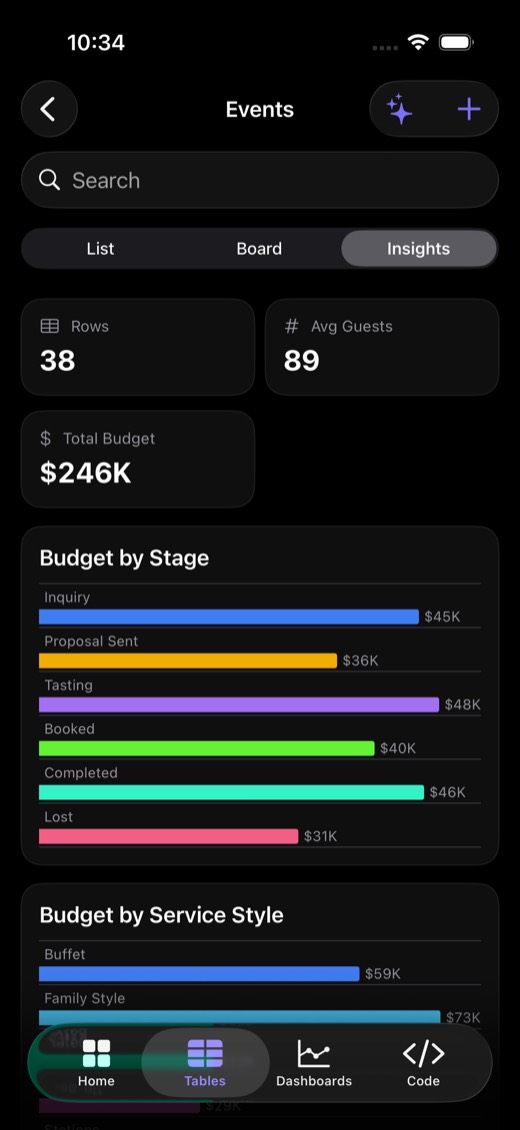
Tables · NocoDB
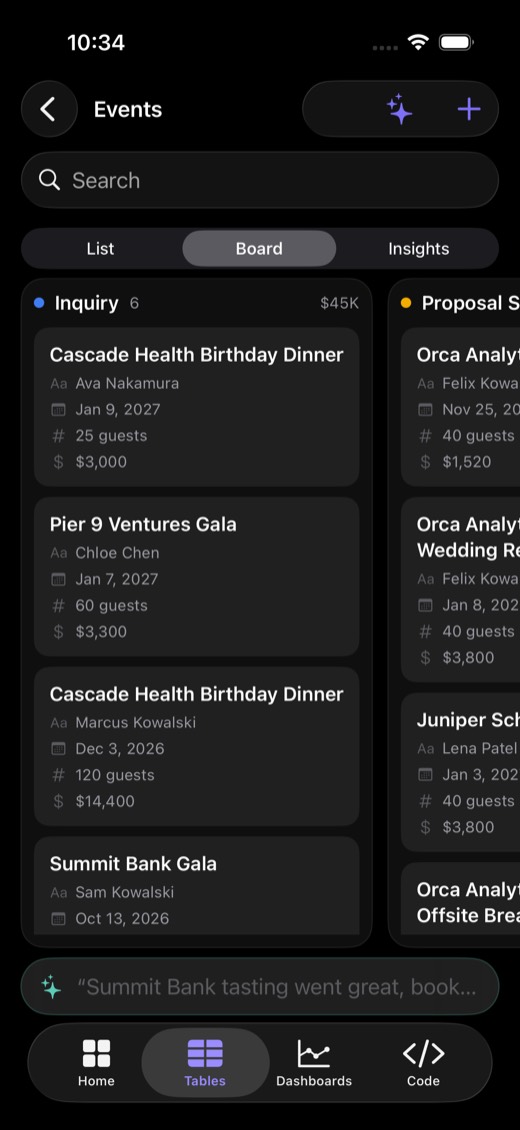
A CRM in your pocket, modeled on a real catering business
- Any base: a list, a drag-and-drop board on any select field, and auto-built charts.
- A typed editor with select chips, dates, star ratings, and tap-to-call or tap-to-email.
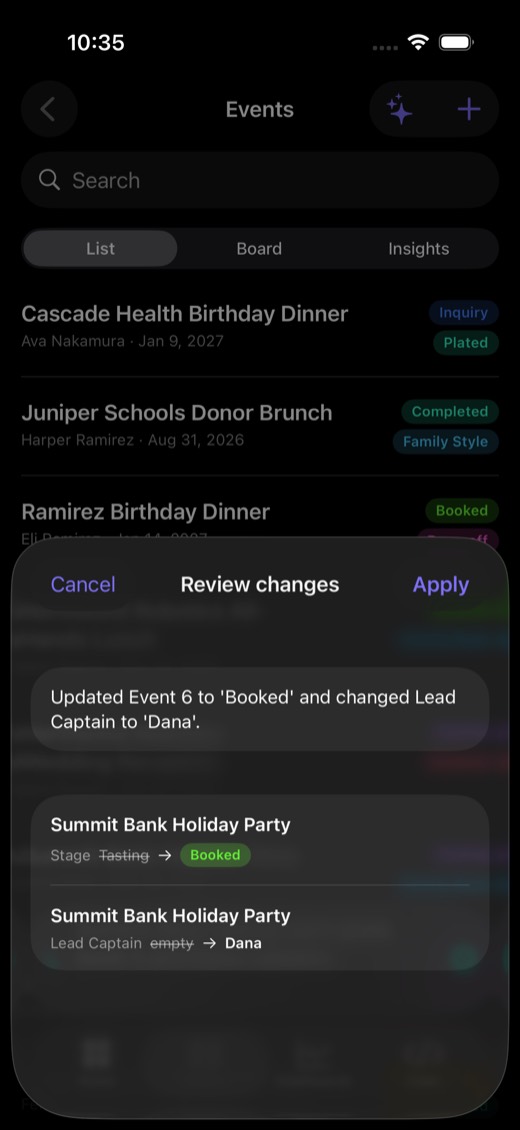
- Tell it what changed. Hold the mic and say "Summit Bank tasting went great, book it, Dana captains." You get a diff to review, and tapping Apply writes it back.
- Works offline from the last sync, and says so.
Tables · your Supabase app
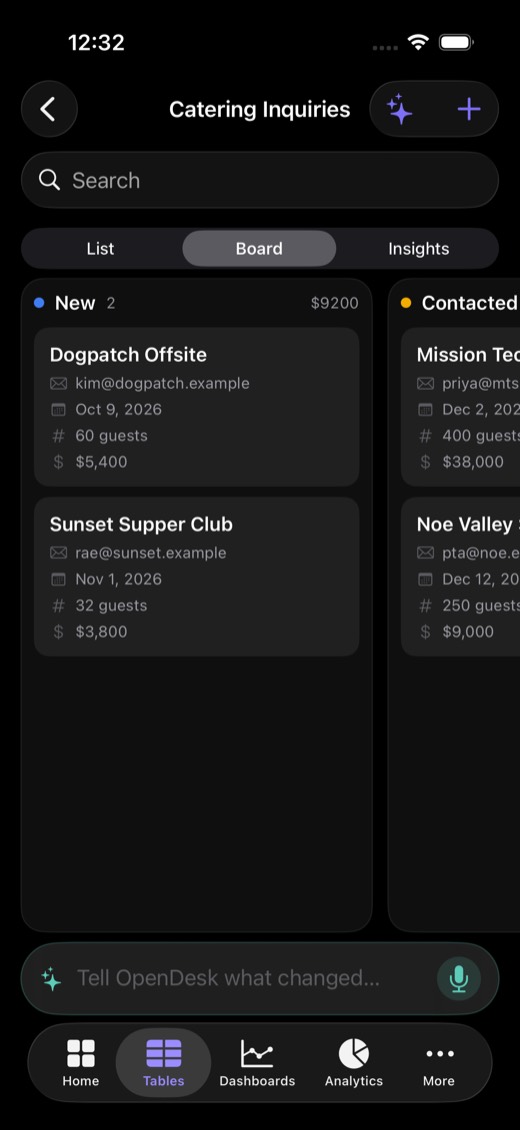
Your Supabase app's data, with your security rules
- Sign in as a user of your own app, not an admin. The phone never holds a service key.
- Every read and write carries that user's token, so row-level security decides what each teammate sees. The demo table is scoped per team.
- Postgres types map to the same UI: enums become board lanes, and money, dates and emails get proper editors.
- Setup is one read-only SQL helper that lists the tables the signed-in user can already read.
Dashboards · Grafana
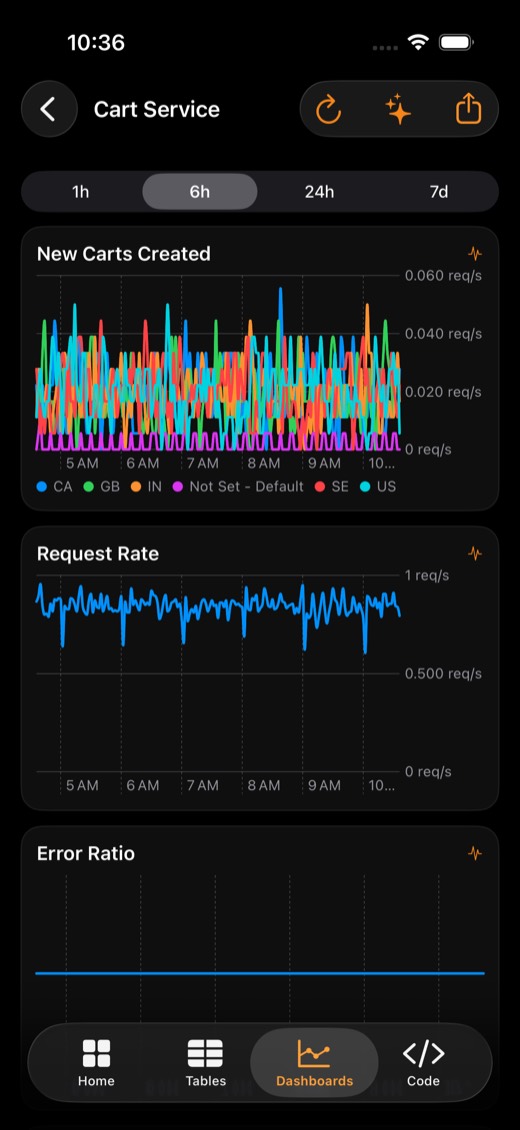
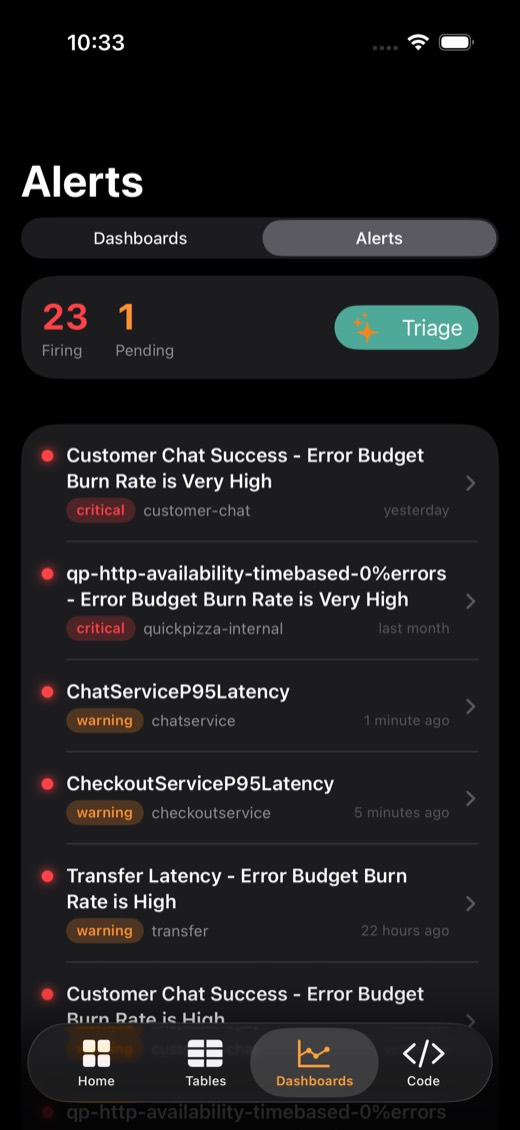
Charts redrawn natively, plus an on-call inbox
- Each panel's query is replayed through Grafana's datasource API and drawn with Swift Charts you can scrub. Anything it can't replay falls back to a server-rendered image.
- Alerts shows what's firing, critical first. Triage asks the AI what on-call should look at first.
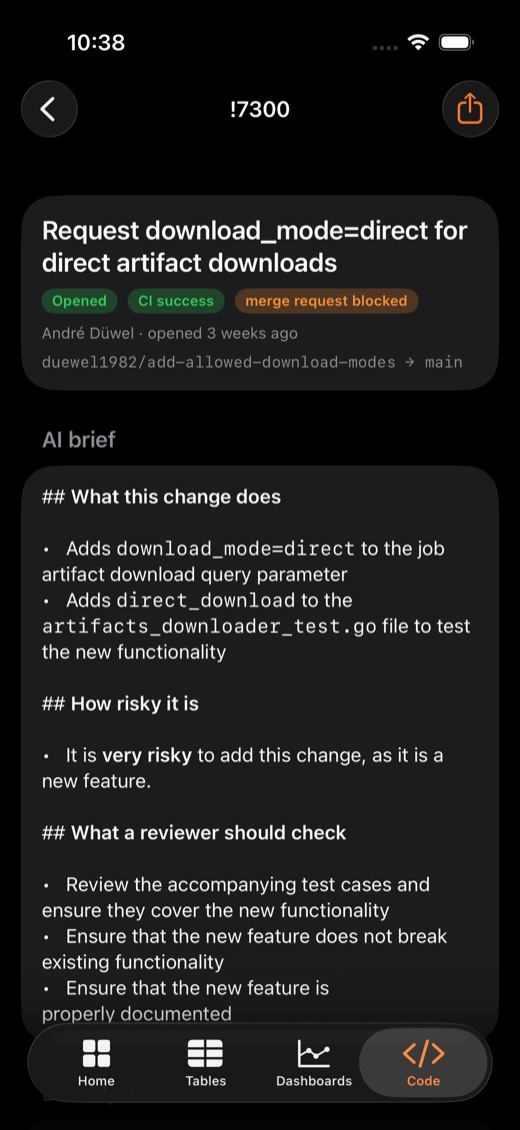
Analytics · Metabase · Code · GitLab
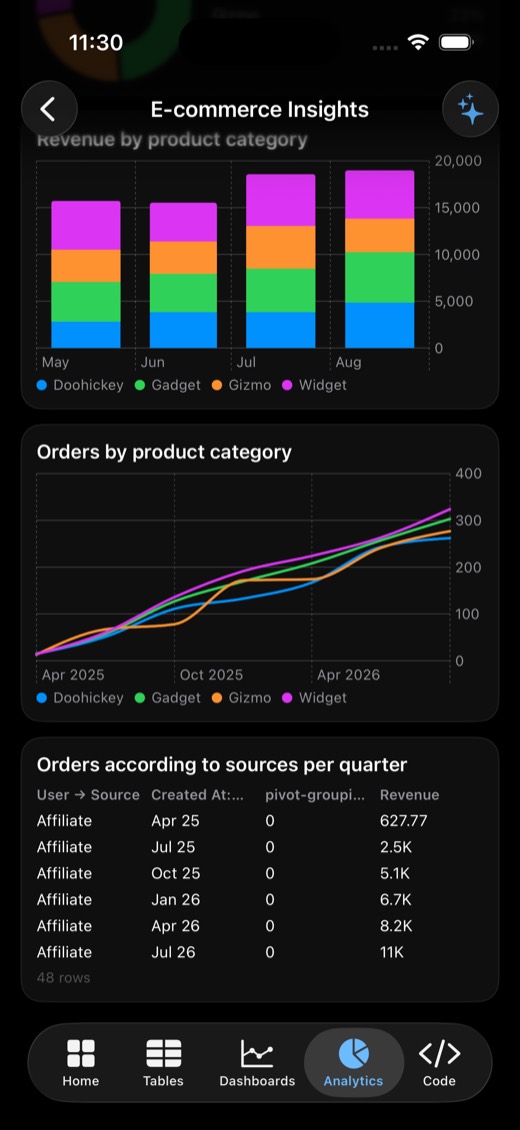
BI you can read on a phone, and code review between meetings
- Metabase dashboards and tabs, with every question redrawn natively: KPIs with trend, lines, stacked bars, pie, funnel, scatter and tables.
- GitLab merge requests, issues, pipelines and diffs, plus a 30-run CI health strip. Summarize this change tells you what it does, how risky it is, and what to check.
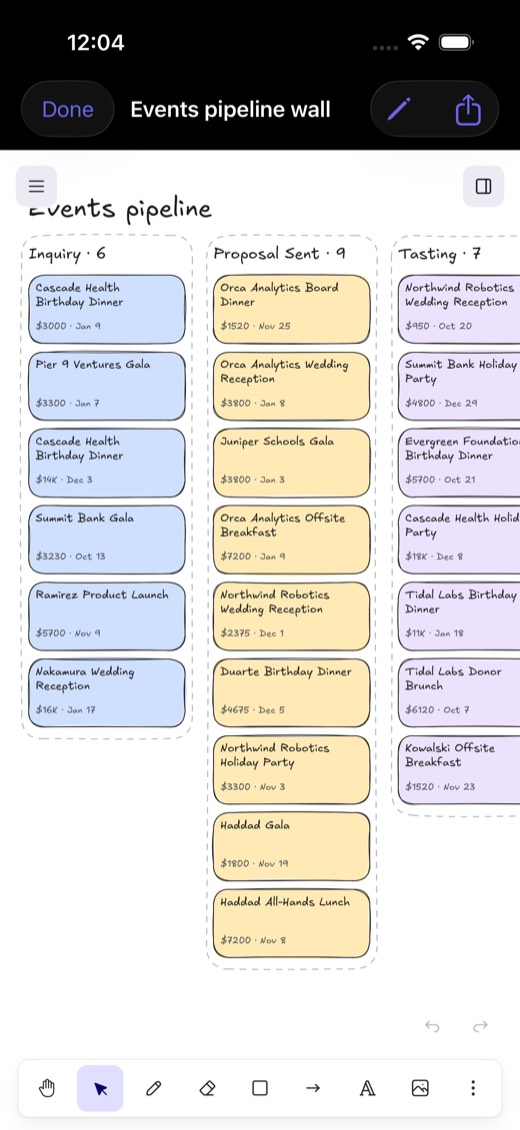
Whiteboard · Excalidraw
Your data, drawn
- Map my database turns every NocoDB base and table into a hand-drawn entity map.
- Pipeline wall turns your deals into sticky notes, one lane per stage, ready for a planning meeting.
- Full open-source Excalidraw for editing. Boards save on the phone and export as standard
.excalidrawfiles. - Also on the phone: a home and lock screen widget, and Siri ("What's booked next in OpenDesk?").
Teams
Admins set it up once. Everyone gets the same app.
- Creates the team and connects the tools
- Publishes the connections to the team
- Invites by 6-letter code, link or QR
- Promotes, demotes and removes members. The last admin can't be removed.
- Signs in with an email link or password
- Joins with the code, and every tab fills in on launch
- Sees Supabase rows their account is allowed to see
- Can leave the team at any time
- Supabase Auth, Postgres, and row-level security on every table
- Members can read the shared setup but not change it; strangers see nothing (tested)
- Sessions stored in the iOS Keychain
How it works
A thin native client over APIs these tools already have
iPhone · OpenDesk
iOS 26on devicewidget · Siribring your own keywith each user's
own credentials
Your existing, unmodified servers
self-hosted or cloudRLS as the userany instanceself-hosted.com or self-managedopen-source web appThe on-device model is small, so it gets three constraints: the app narrows the table to the few rows an instruction plausibly names, passes each select column's allowed values, and lists the existing names for short-vocabulary columns. A person reviews every write.
Why a phone app
Things a browser tab can't do
The web UIs of these tools already exist. What was missing is everything that only works when the app lives on your phone.
- Siri: "What's booked next in OpenDesk?"
- Voice edits: hold the mic, say what changed, review, apply
- Widgets: pipeline value and next events on the home and lock screen
- Live notifications: a teammate moves a deal and your phone buzzes
- Offline: keeps working at a venue with no signal
- On-device AI: answers without your data leaving the phone
- Live Activities: an event-day countdown in the Dynamic Island
- Interactive widgets: "Mark booked" or "Silence alert" without opening the app
- Push when the app is closed: Supabase Edge Functions through Apple's push service
- Shortcuts automations: arrive at a venue and today's event opens
- Camera: scan a business card into your CRM, photograph setups onto an event
- Maps: travel time to load-in
- Face ID: lock client data
- Calendar and Apple Watch: booked events in your calendar, alerts on your wrist
Extend it
Your tool isn't here? Fork it and ask your coding agent.
OpenDesk is open source, and every tool is the same small pattern: a REST client plus a couple of screens. The repo ships an AGENTS.md that teaches a coding agent that pattern, so adding Twenty, Plane, Zammad, Baserow or your in-house tool is a conversation, not a project.
For table-shaped data it's even shorter: implement one TableSource, and the list, board, charts, editor and voice edits all come for free. That's how the Supabase connector was built.
Demo script
Two minutes, on stage, on a real phone
Why it matters
Who it helps
Teams on open source
- Day one works: connect, import, invite, and the whole team is on the same app.
- Private by design: AI runs on the phone, tokens stay on the device or behind row-level security, and there's no relay in between.
- Frontline work: caterers, field sales and on-call engineers get the tool where the work happens.
The projects themselves
- A mobile client for free: it uses each project's public API as it is, with nothing to merge or maintain on their side.
- Closes the gap self-hosters had against SaaS tools like Airtable, Datadog and GitHub, which is a good phone app.
- A shared pattern: the clients can ship as Swift packages each project could adopt.
Next